如您遇到註冊帳號時收不到信箱驗證碼的問題,可以參考以下方式:
-
First, check if the format of your registered email address is correct. If you have entered too many or too few numbers, or entered a single incorrect number, simply register again with the correct email address.
-
If you still cannot receive verification code emails from this site after confirming that the email address format is correct, try adding the ERANET INTERNATIONAL LIMITED email address to your whitelist in your email settings. After adding it to the whitelist, try resending the system email.
【Eranet Email Address: system@noreply.eranet.com】
☆The following is a tutorial on how to add a whitelist to your Sina email account;
Log in to your email at sina.com/sina.cn. There is a “Settings” button at the top of the page. Click it.
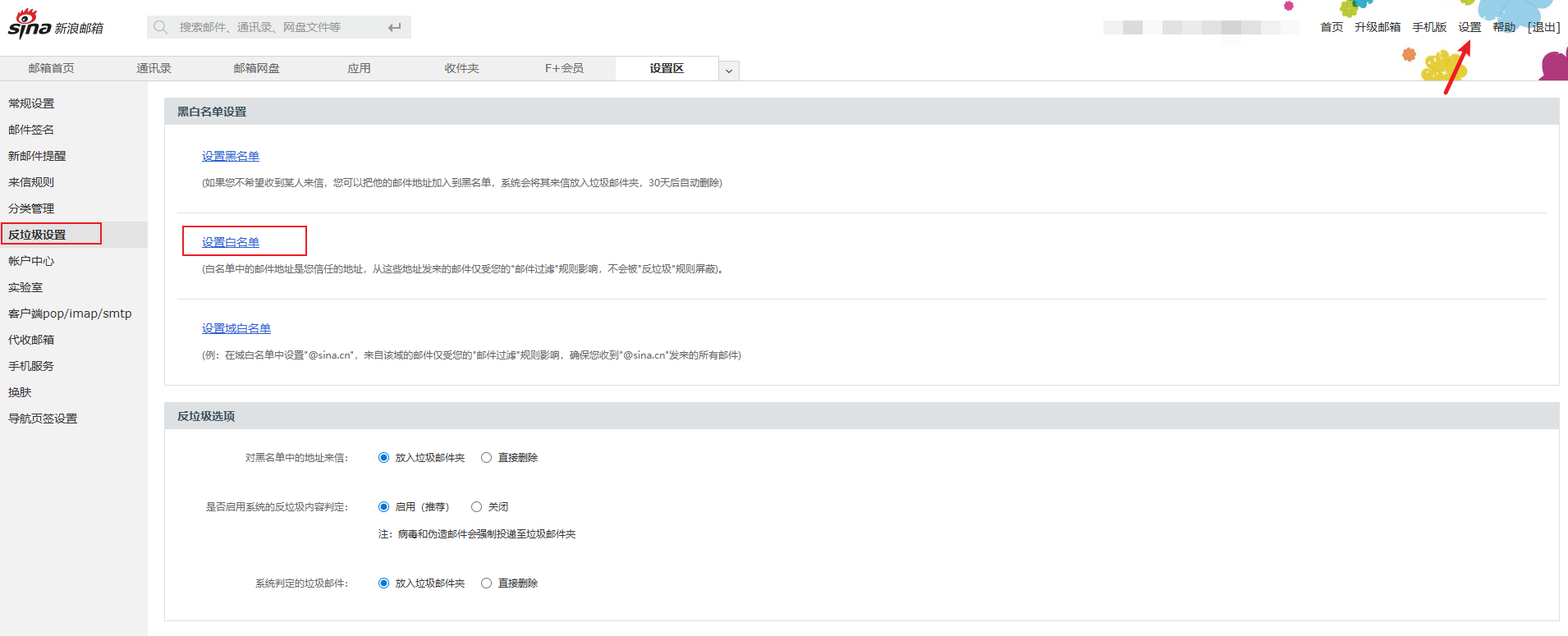
You will see many options under the “Settings” menu. Click the “Anti-spam Settings” button and find “Set Whitelist”.
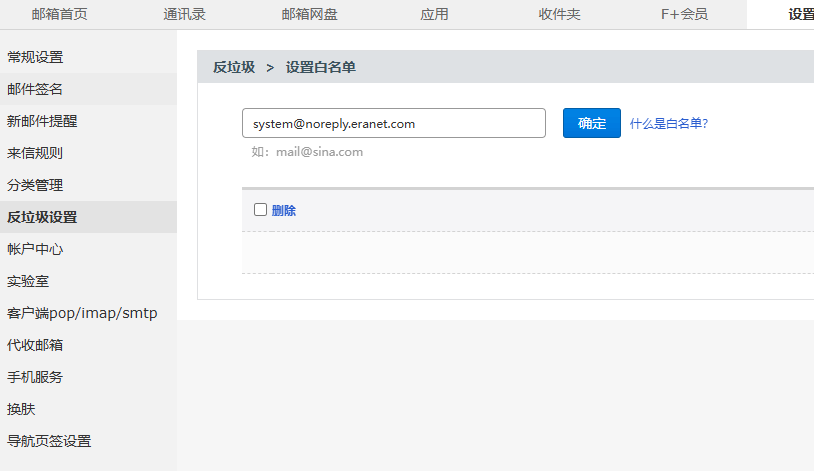
After adding, please return to the registration page and resend the email. If you still cannot receive the email, please contact ERANET INTERNATIONAL LIMITED customer service for assistance!